
Why We Built a Wedding Signage Design Tool
Design notes from the WeddingPixie team explaining why we created a wedding signage tool and how thoughtful design improves QR code engagement.
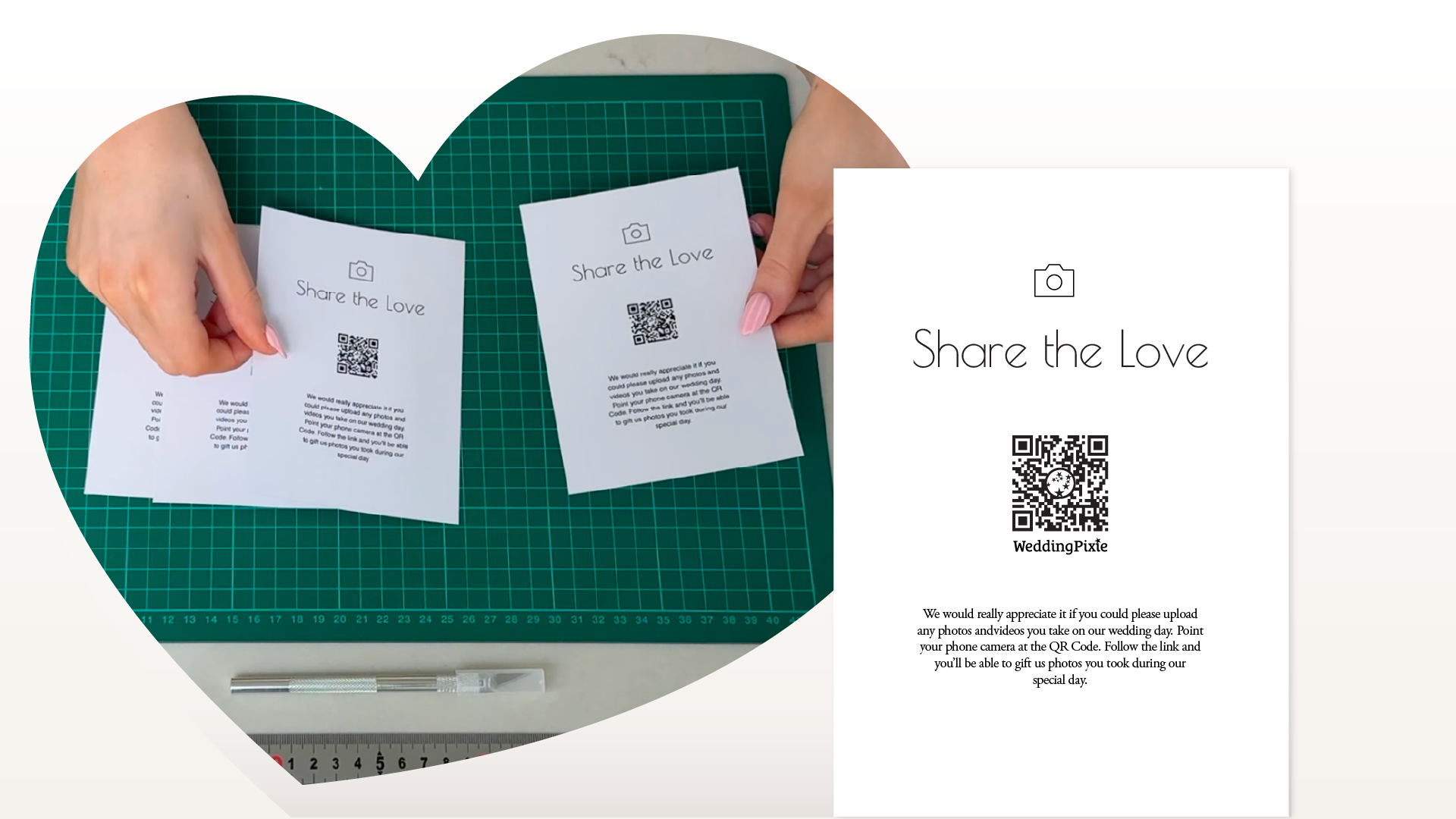
Very quickly, we realised that ease is not just about what happens online. It is shaped by what happens in the room.
A small card with a QR code is not just a technical shortcut. It is a behavioural cue. When placed visibly within the physical environment of a wedding, it becomes a prompt that says, “You are invited to share the moments you are already capturing.”
Unlike hashtags or follow-up emails sent days later, the QR code exists at the exact point of action. Because the first step is frictionless — open your camera, scan, upload — the barrier to participation is significantly reduced. Across weddings using WeddingPixie, an average of 22% of attending guests scan the QR code during the event.
The Realisation
When couples create a WeddingPixie account, we generate a unique QR code that links directly to their upload page. We include this code in the welcome email and encourage couples to share it with their venue.
For many couples, this worked well. For others, something was missing.
Some couples did not simply want a QR file. They wanted a finished, physical card that looked intentional and aligned with their wedding style. They wanted something they could place confidently on tables, welcome boards, or menus without it feeling improvised.
One couple’s experience made this clear. They had sourced a template elsewhere and printed signage that appeared elegant. On the day, however, the QR code did not resolve correctly. Guests were taken to a generic homepage rather than to the upload page. The result was confusion and missed opportunities during a key part of the celebration.
Because they had previously created a WeddingPixie trial account, they still had access to their original QR code. The venue replaced the incorrect signage, and uploads resumed immediately. By the end of the wedding, they had collected 148 photos and six videos from their guests.
The lesson was straightforward. The design of the physical sign matters as much as the digital destination.
Designing for Reliability
From the outset, we wanted our signage tool to feel intuitive. A couple should be able to generate a print-ready PDF within minutes, without specialist design software or technical knowledge.
Behind that simplicity sits a set of deliberate decisions.
QR codes require sufficient contrast and whitespace to scan reliably. For that reason, we prioritise strong luminance contrast ratios and maintain clear margins around every code. This preserves scannability across varied lighting conditions, including low-light reception venues.
Typography, hierarchy, and call-to-action placement are equally important. Each layout guides the eye naturally from headline to instruction to scan point. The QR code is visually prominent enough to function effectively while remaining proportionate within the overall composition.
These are not decorative choices. They are functional design decisions grounded in how guests behave within real wedding environments.
If you are refining your overall aesthetic, see our guide to explore signage styles.
Designed to Be Adaptable
We recognise that many couples customise their signage using tools such as Canva or Adobe Illustrator. Our templates are built as structurally sound foundations. Proportions, spacing, and QR dimensions are validated in advance, allowing couples to personalise styling without compromising technical performance.
The objective is not simply to create something attractive. It is to ensure that it works consistently across real venues and real lighting conditions.
Bridging Physical and Digital
For placement strategy across your venue, read our QR code placement guide.
Wedding signage sits at the intersection of the physical and the digital. The sign lives in the room. The upload page lives online. The QR code connects the two.
When the physical design supports the digital experience, engagement increases. When it does not, participation drops.
That is why the WeddingPixie signage tool exists. It ensures that the invitation to share is clear, reliable, and visually coherent with the rest of the wedding.
We also incorporate subtle WeddingPixie branding within the QR code itself. This detail reinforces legitimacy and reassures guests that the code resolves to a purpose-built, trusted service.
The surface may look simple. The decisions behind it are not.
If you are starting from scratch, follow our guide to create your QR code card.
Frequently Asked Questions
- Why does QR code design matter at a wedding?
- QR code design directly affects scan reliability and guest participation. Poor contrast, insufficient spacing, or unclear instructions can significantly reduce engagement.
- Can a QR code fail even if it looks correct?
- Yes. QR codes may fail if resized incorrectly, printed at low resolution, or placed in low-contrast or dim lighting environments.
- Should wedding QR codes include branding?
- Subtle branding can increase trust and legitimacy, particularly when guests are unsure where a QR code will lead.
- How much whitespace should surround a QR code?
- A QR code should have a clear margin around it to ensure reliable scanning across different lighting conditions and camera types.
- Is it safe to customise QR code colours?
- QR codes can be customised, but strong contrast is essential. Black on a white background remains the most reliable combination for consistent scanning.


