
How to Create a Wedding QR Code Card Using WeddingPixie
A wedding QR code card allows guests to upload photos and videos directly to your upload page with a simple scan. When printed on wedding signage, the QR code becomes an invitation to share the moments your guests are already capturing.
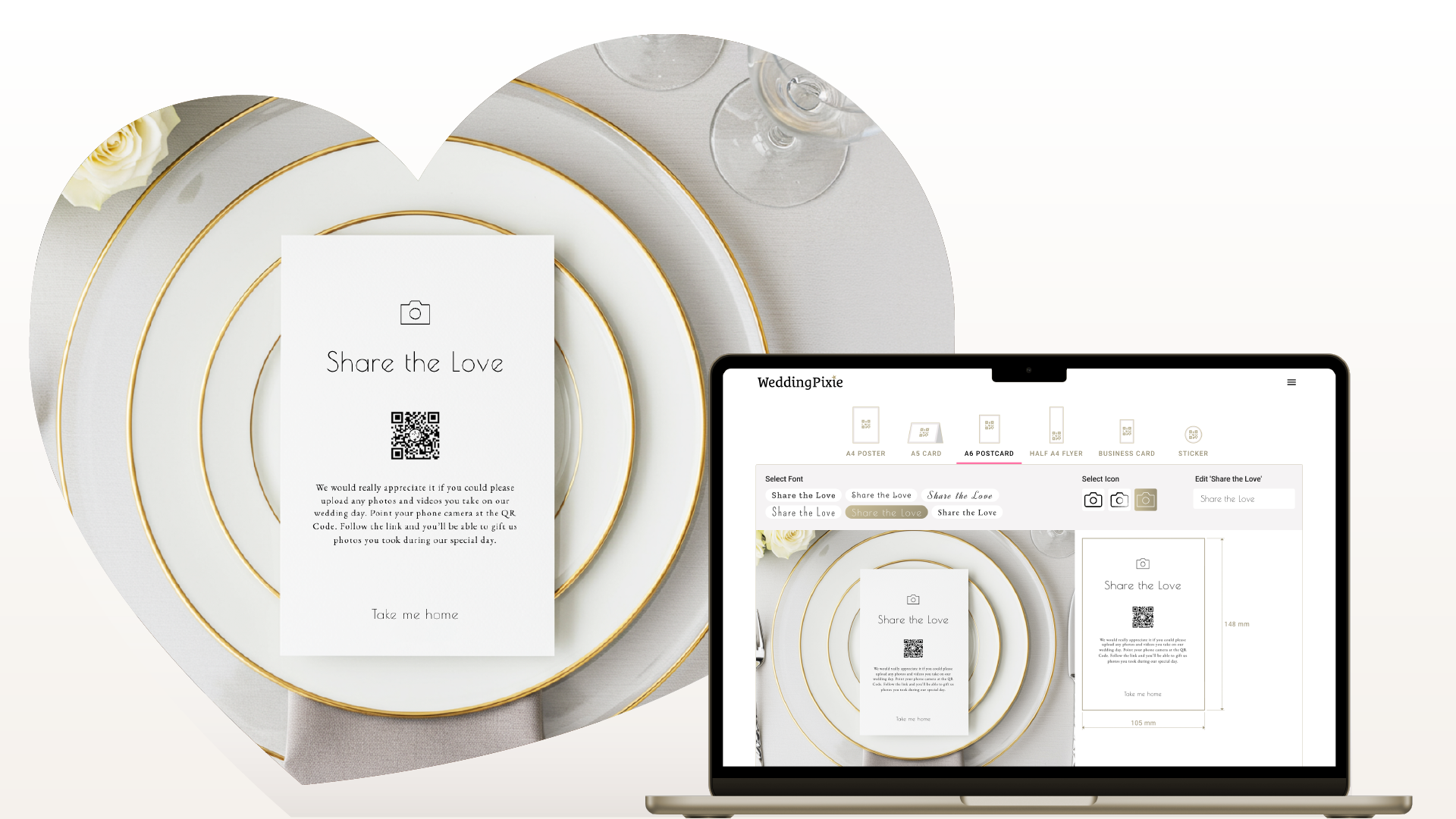
It's super easy to create a wedding postcard with a QR Code using WeddingPixie’s QR Code Wedding Signage Tool. This simple tool allows you to design custom wedding signage that encourages guests to share their photos and videos with a quick scan. Instead of chasing images through WhatsApp groups or social media after the wedding, guests scan, upload, and return to celebrating. You sit back and watch the photos roll in.
Your QR Code Is Generated Automatically
When you create a WeddingPixie account, a unique wedding QR code is automatically generated and linked directly to your upload page.
Unlike generic QR code generators, this code connects to a purpose-built wedding upload system. Each scan leads directly to your gallery. There are no redirects, no temporary links, and no third-party dependencies.
Step 1: Choose Your Format
Log into your WeddingPixie dashboard, Click on the hamburger icon, on the top right and select QR Code from the menu. Your unique code is already ready to use. Scroll past your icon to the wedding signage design tool.
WeddingPixie provides multiple signage formats designed for different placements throughout your venue, including A1 posters, A4 and A5 table displays, A6 postcards, business cards, stickers, and leaflets. Scroll right through the options and explore each format.
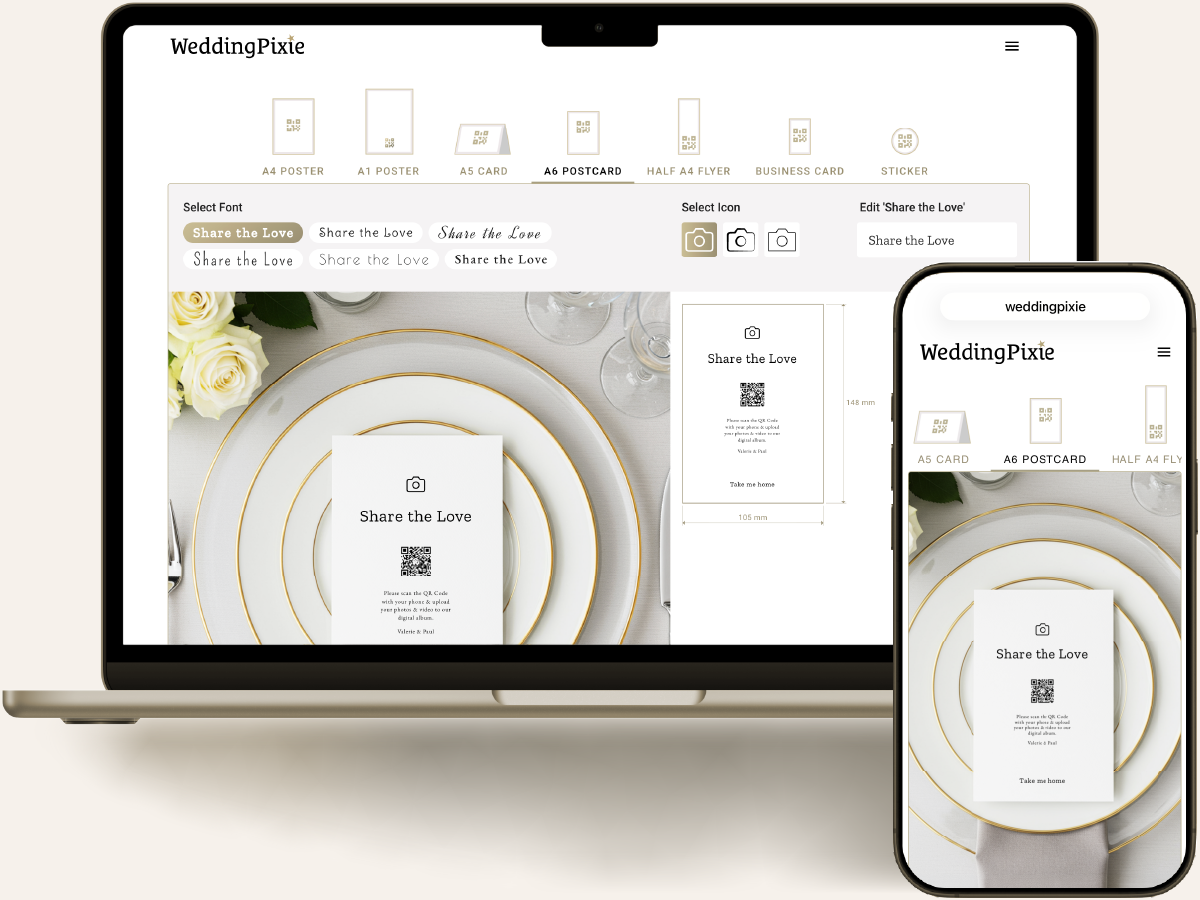 For most couples, the A6 postcard offers the ideal balance of visibility and portability. A detailed comparison of formats is available in our signage sizes guide.
Step 2: Customise the Design
Select your preferred layout and customise the wording.
WeddingPixie uses a minimal black-and-white aesthetic to ensure clarity and high scan reliability. You can choose from several carefully selected fonts, adjust your call-to-action message, and include a small camera icon if desired.
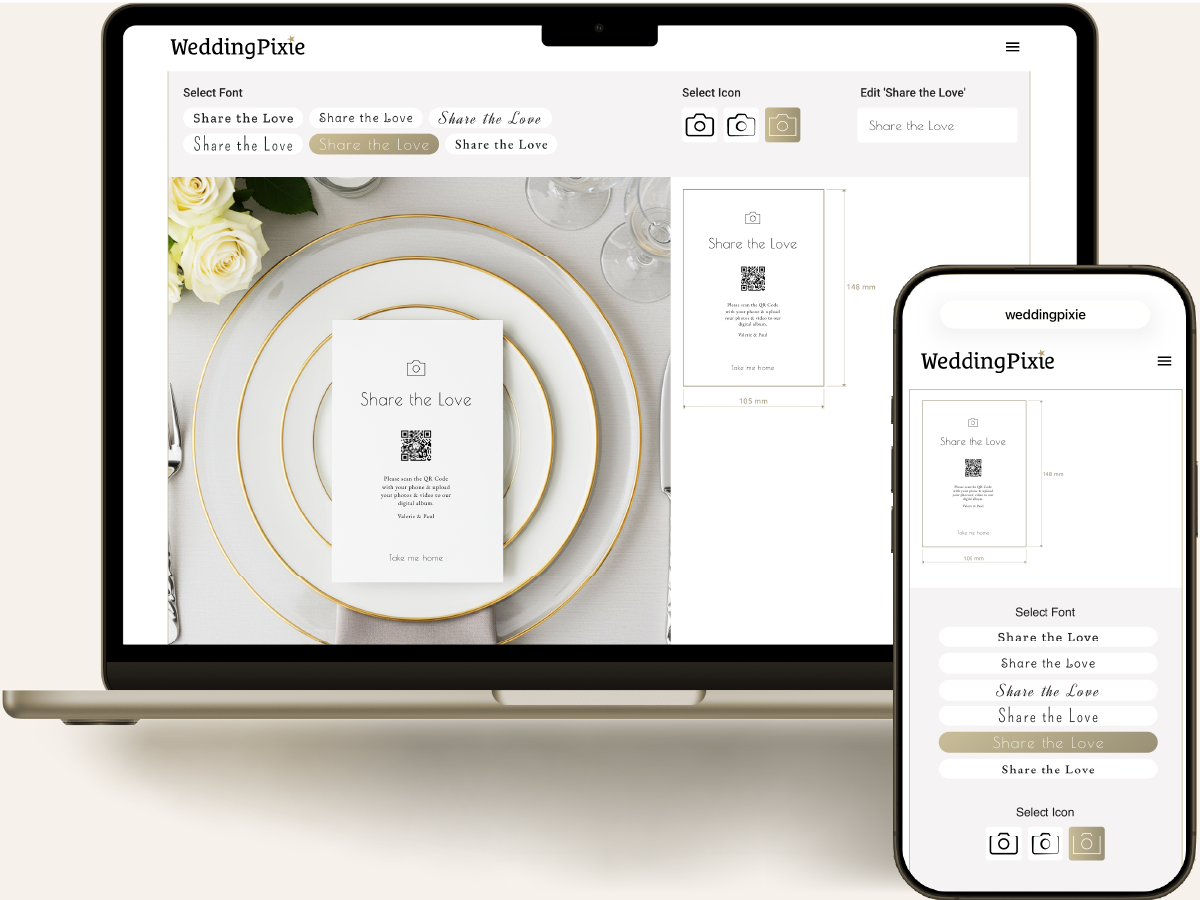
For most couples, the A6 postcard offers the ideal balance of visibility and portability. A detailed comparison of formats is available in our signage sizes guide.
The builder automatically maintains correct QR code sizing, spacing, and contrast. These technical safeguards ensure reliable scanning across different lighting conditions and phone cameras.
Step 3: Download a Print-Ready PDF
Once finalised, download your design as a high-resolution PDF.
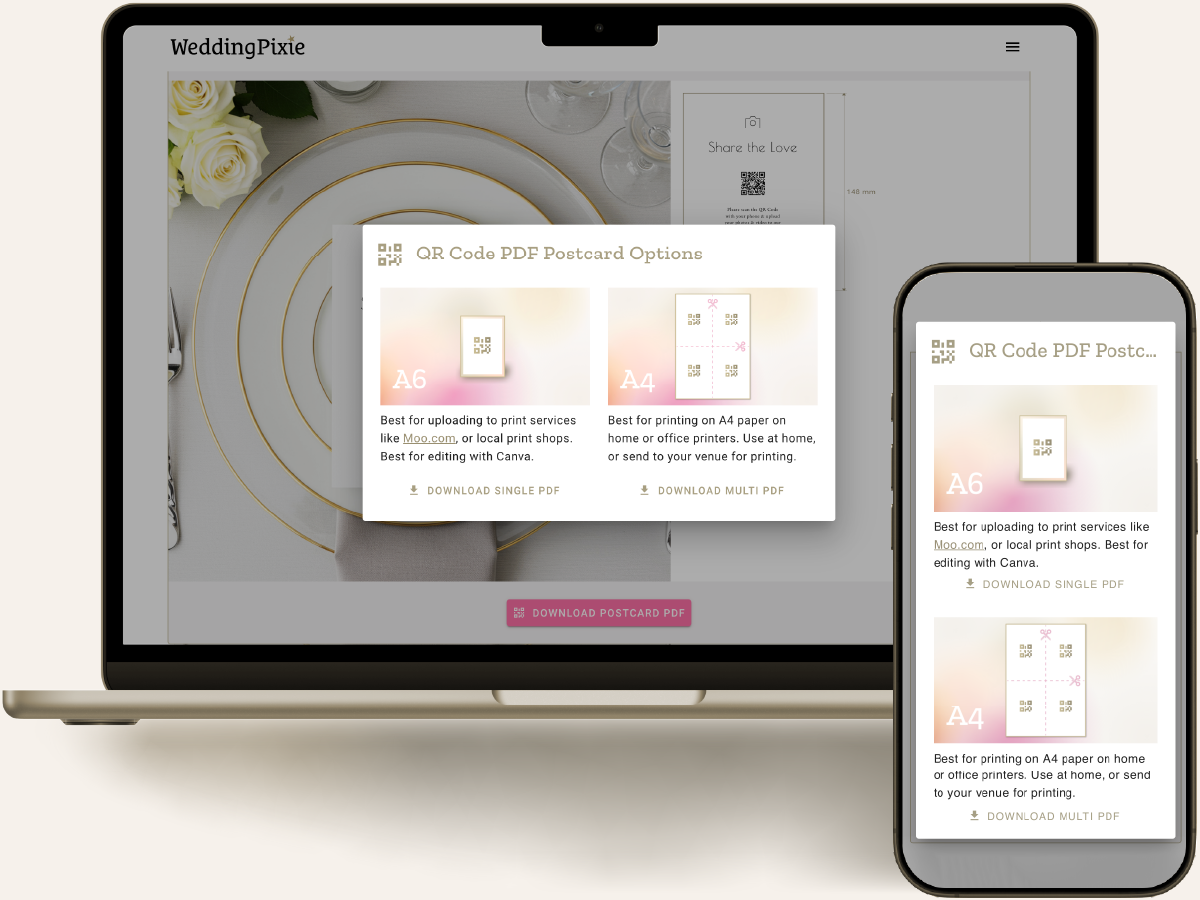
If using a professional printing service, select the single-card export. If printing at home, choose the multi-card layout, which places several cards on one A4 sheet for trimming.
Many couples send the final PDF directly to their venue coordinator, who prints and positions the signage before guests arrive.
For best results, print on 250–350gsm matte cardstock. Strong black-on-white contrast ensures optimal scanning performance.
How a Wedding QR Code Works
A QR code encodes a web address. When scanned using a smartphone camera, it opens your dedicated upload page in the guest’s browser.
Guests select their photos or videos and upload them instantly. No app download or login is required. Removing these barriers significantly increases participation.
For guidance on positioning signage around your venue, see our QR code placement guide.
Test Before Printing
Before printing large quantities, scan the QR code from your screen and upload a test image. Confirm it appears in your gallery.
You may also share the upload link with close family or members of your bridal party in advance so they are familiar with the process.
Clear instructions and early familiarity often increase upload rates on the day.
In Summary
To create a wedding QR code card:
- Create your account.
- Select your preferred size.
- Customise the design.
- Download the PDF.
- Print and display.
If you are refining your overall aesthetic, see our guide to signage style inspiration.
A simple card, thoughtfully placed, can significantly increase the number of guest photos you collect on your wedding day.
Frequently Asked Questions
- Do guests need an app to upload photos?
- No. Guests scan the QR code using their phone camera and upload directly through their browser. No app or login is required.
- Do wedding QR codes expire?
- WeddingPixie QR codes are linked directly to your wedding gallery and do not rely on temporary third-party generators.
- Where should I place wedding signage with a QR code?
- Place signage at entrances, on dining tables, near the bar and beside guest books. Repetition increases participation.
- What is the best size for a wedding QR code card?
- An A6 postcard offers a strong balance of visibility and portability, making it ideal for collecting guest photos during and after the wedding.


